

Learning Paths — Overview
Understand what Learning Paths are, how they work, and when to use them instead of standalone courses.
Learning Paths — Overview
A Learning Path is a curated sequence of courses that guides learners through a structured journey — from foundational concepts to advanced mastery. Learners enroll in the path once and gain access to its courses through a single enrollment.
How the order is enforced depends on the delivery mode. In a self-paced path, enrolling unlocks every course in the path at once — learners can open them in any order (the sequence is a suggested reading order, not a gate). Strict one-course-at-a-time gating — where each course unlocks only after the previous one is completed — exists only in Cohort/Batch mode. See Cohorts.
In this section
Building a path is a three-step flow — create the shell, add courses, then price it:
- Create a Learning Path — set the title, difficulty, delivery mode, objectives, and other details
- Path Builder — add courses, set their order, mark each required or optional, and publish
- Learning Path Pricing — toggle free/paid and set multi-currency bundle prices
- Cohorts — run a Cohort/Batch path with scheduled, sequentially-gated legs
When to use a Learning Path
| Use a Learning Path when… | Use standalone courses when… |
|---|---|
| You have a multi-course curriculum (e.g. a full certification program) | A single course covers the topic completely |
| Course order matters (learners need Course A before Course B — use a Cohort/Batch path to enforce it) | Learners can pick and choose topics independently |
| You want one enrollment, one price, and one progress tracker for multiple courses | Each course has its own pricing and enrollment |
| You want to feature a curated journey on the homepage | You're running a one-off workshop or short training |
Path lifecycle
Published (default) ⇄ Unpublished (Draft)- A newly created path defaults to Published — learners can see it in the catalog once it has courses.
- Use Unpublish from the Path Builder to take a path offline (returns it to Draft) without deleting it or its enrollment records.
- Use Publish to bring an unpublished path back online.
Deleting a path is a soft delete and is blocked while learners are actively enrolled. If any enrollment on the path is still in Enrolled or In Progress status, the delete is rejected with an error ("Cannot delete learning path with N active enrollments"). Unenroll or complete those learners first. When a delete does succeed it is a soft delete — the path is hidden and deactivated but the course enrollments and progress records are preserved, not erased.
What happens when a learner enrolls
Enrolling in a path is not just one record — it fans out into the path's courses:
- The moment a learner enrolls (free direct-enroll, or after a successful payment), Arythmatic creates a separate course enrollment for every published, non-deleted course in the path — required and optional alike. A single path enrollment therefore produces N+1 enrollment rows, which is why course rosters jump when a path is sold.
- Unpublished or deleted courses in a path are silently skipped and remain unreachable through the path until they are published.
- If a learner had previously dropped one of the path's courses, that course enrollment is reactivated rather than duplicated.
- For self-paced paths every course enrollment is created as Enrolled with no lock, so all courses open immediately (see the callout at the top of this page). Cohort/Batch paths instead gate the courses one leg at a time — see Cohorts.
Plan limits can block enrollment. Before a learner is enrolled in a path, Arythmatic checks your subscription's active-learner limit. If your organization has reached that limit the enrollment is refused with a "reached its active learner limit" error (HTTP 403 plan_limit_exceeded). This is a subscription-tier cap, not a problem with the path — raise your plan's learner limit to resolve it.
Roles
The Learning Paths admin module is currently Admin-only — Instructors do not have access to the Learning Paths screens in the admin dashboard.
- Admin — full access: create, edit, publish, unpublish, delete any path.
- Learner — can browse and enroll in published paths; cannot access the admin dashboard.
Key concepts
| Concept | Description |
|---|---|
| Difficulty level | Beginner, Intermediate, Advanced, or Expert. Helps learners self-select the right path. |
| Delivery mode | Self-paced (learners progress at their own pace) or Cohort/Batch (scheduled cohorts with live classes). |
| Estimated duration | Total hours across all courses. You set this manually; the builder can auto-sync it from the sum of added courses. |
| Learning objectives | Bullet-point outcomes learners will achieve. Shown on the path detail page. |
| Featured | Highlighted paths appear prominently on the learner homepage. |
| Required vs Optional courses | Individual courses within a path can be marked Required (must complete) or Optional (counts toward progress but not required for completion). |
The Learning Paths page
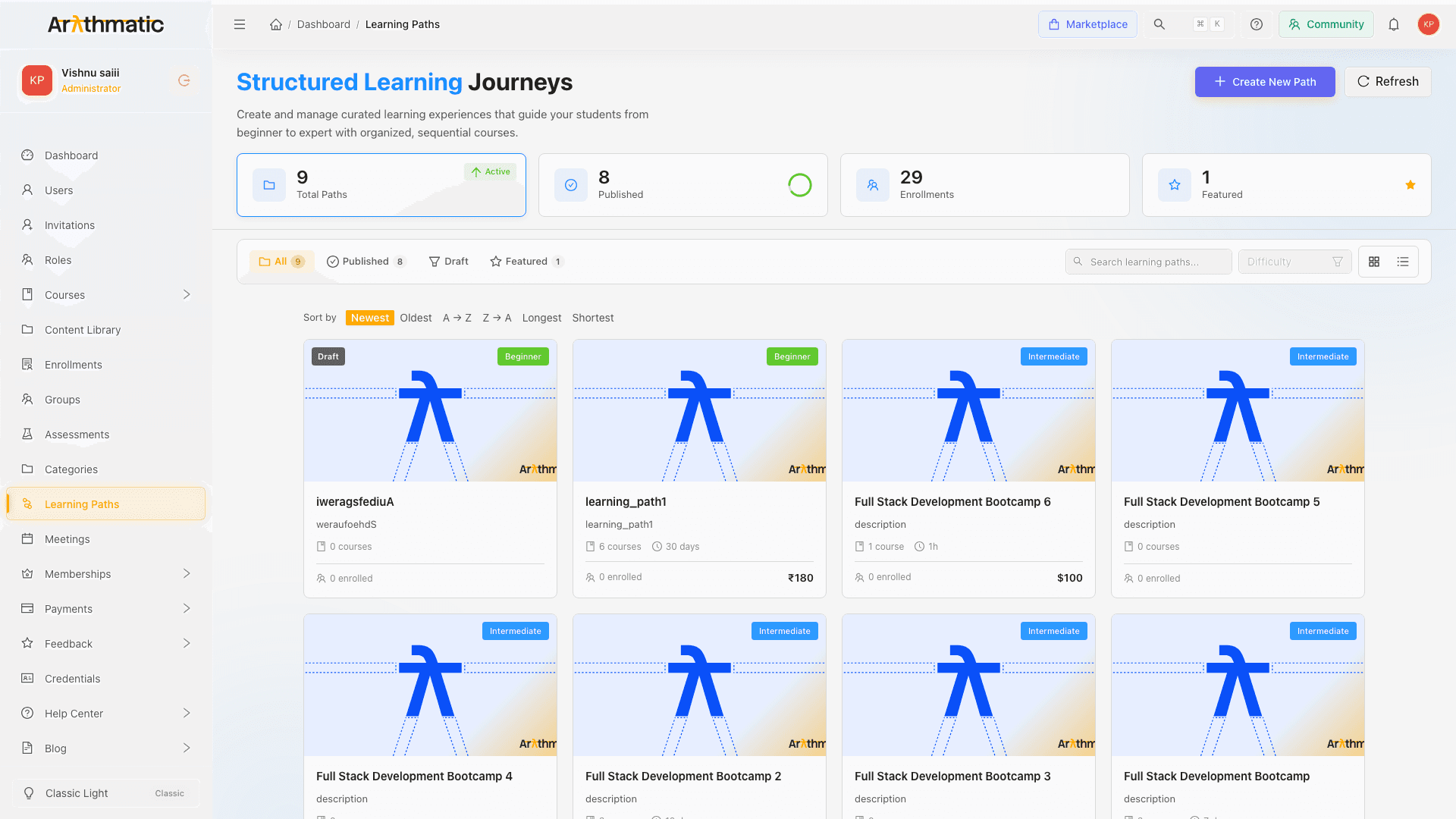
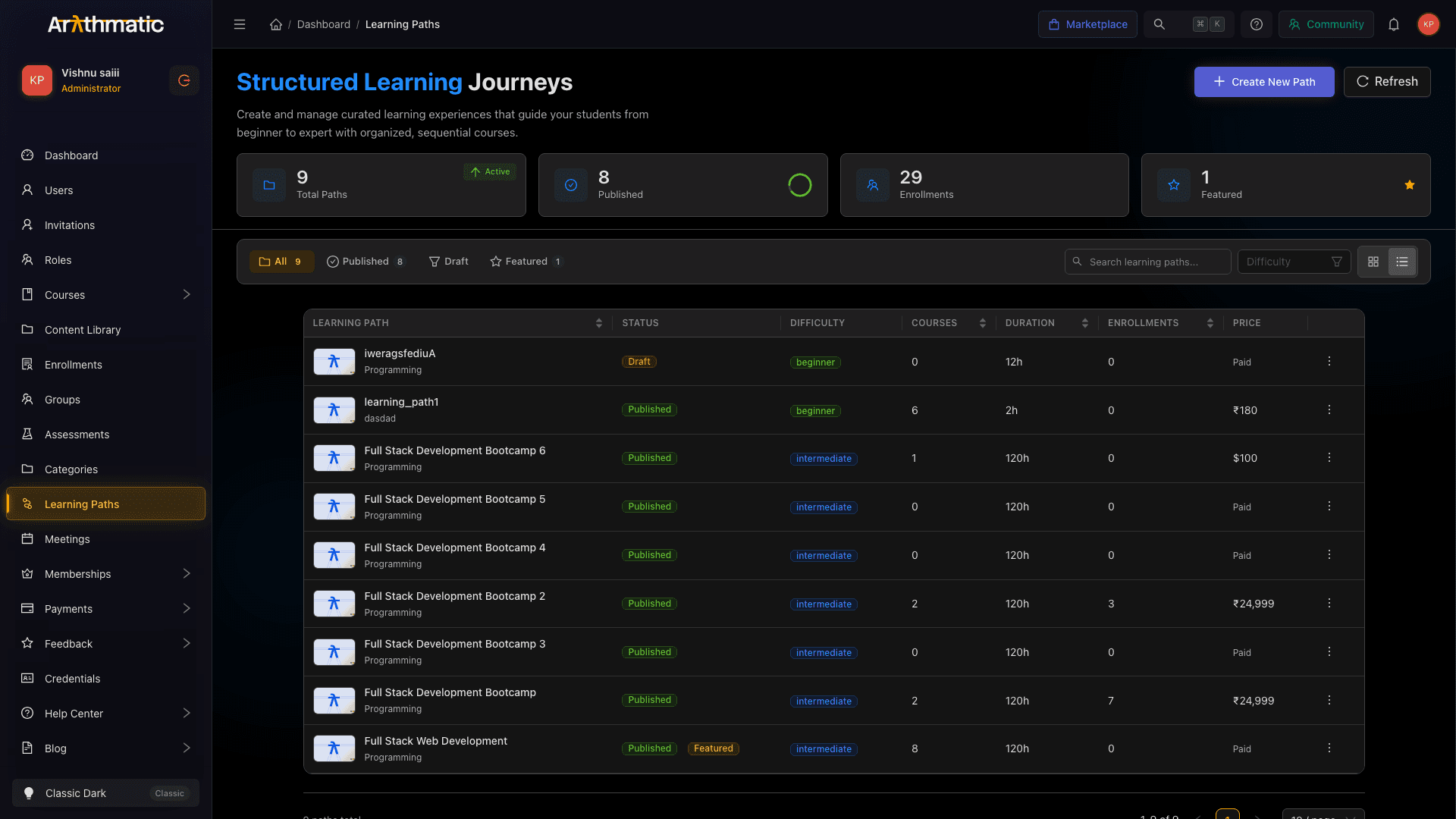
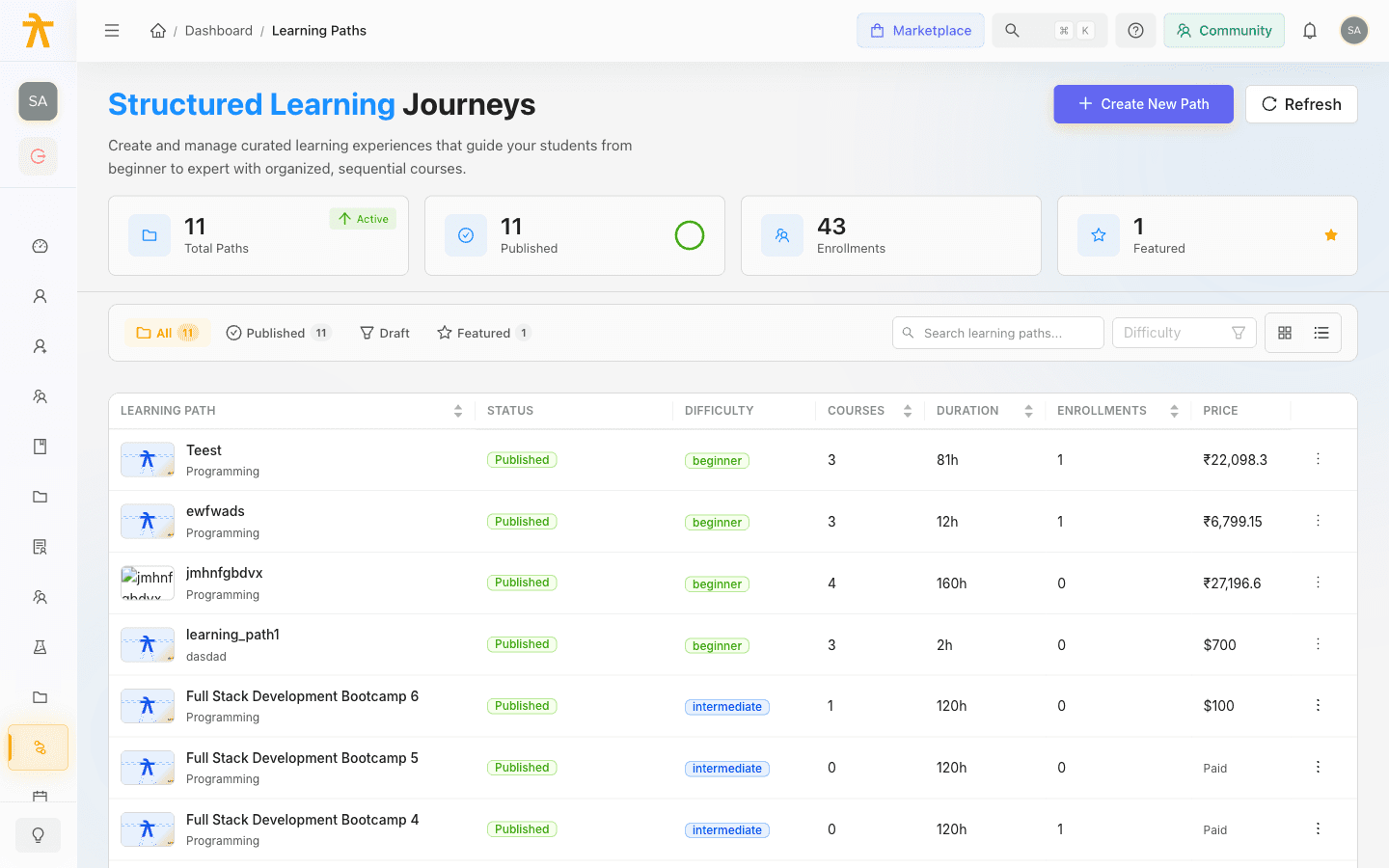
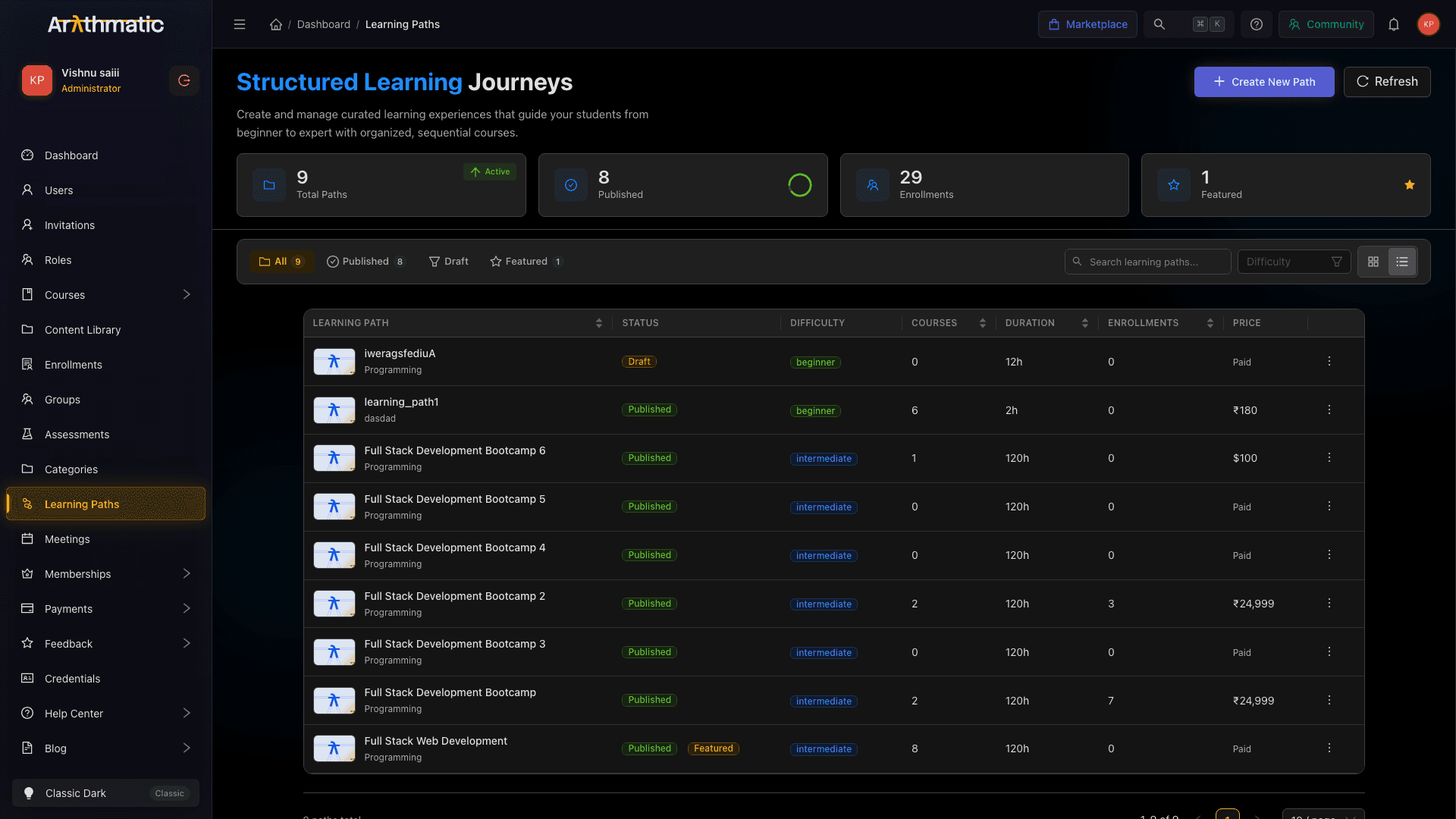
The top of the page shows four animated stat cards:
| Card | What it shows |
|---|---|
| Total Paths | All paths regardless of status |
| Published | Active, learner-visible paths + percentage ring |
| Enrollments | Total learner enrollments across all paths |
| Featured | Number of currently featured paths |
Below the stats, use the filter bar to narrow the list:
- Status pills — All, Published, Draft, Featured
- Difficulty dropdown — filter by Beginner / Intermediate / Advanced / Expert
- Search box — real-time title search
- Grid / List toggle — switch between card grid and table view
In Grid view, use the Sort by segmented control (Newest, Oldest, A→Z, Z→A, Longest, Shortest).
In List view, click any column header (Title, Courses, Duration, Enrollments) to sort the table.
Next steps
- Create a Learning Path — fill in the details and create the path shell
- Path Builder — add courses, set order, and publish
- Learning Path Pricing — configure free/paid and multi-currency bundle prices
- Cohorts — schedule and manage cohort/batch delivery
